
Connect Your First Site
GridNMS Cloud needs a collector inside your network to do the actual watching. The collector connects outbound to your GridNMS instance — you never open any inbound firewall ports. This page gets your first collector online.
New to collectors? Read What Is a Collector? first.
Before you start
Section titled “Before you start”- A Linux or macOS machine on the network you want to monitor (a small Linux VM is ideal — 1–2 CPUs and 1 GB RAM is plenty to start).
- Administrator access on that machine (you’ll install with
sudo). - Outbound HTTPS (443) access from that machine to your GridNMS instance.
- Admin access to your GridNMS instance.
1. Get your enrollment token
Section titled “1. Get your enrollment token”- In GridNMS, go to Configure → Collectors.
- Select Register collector and copy the one-time enrollment token it shows.
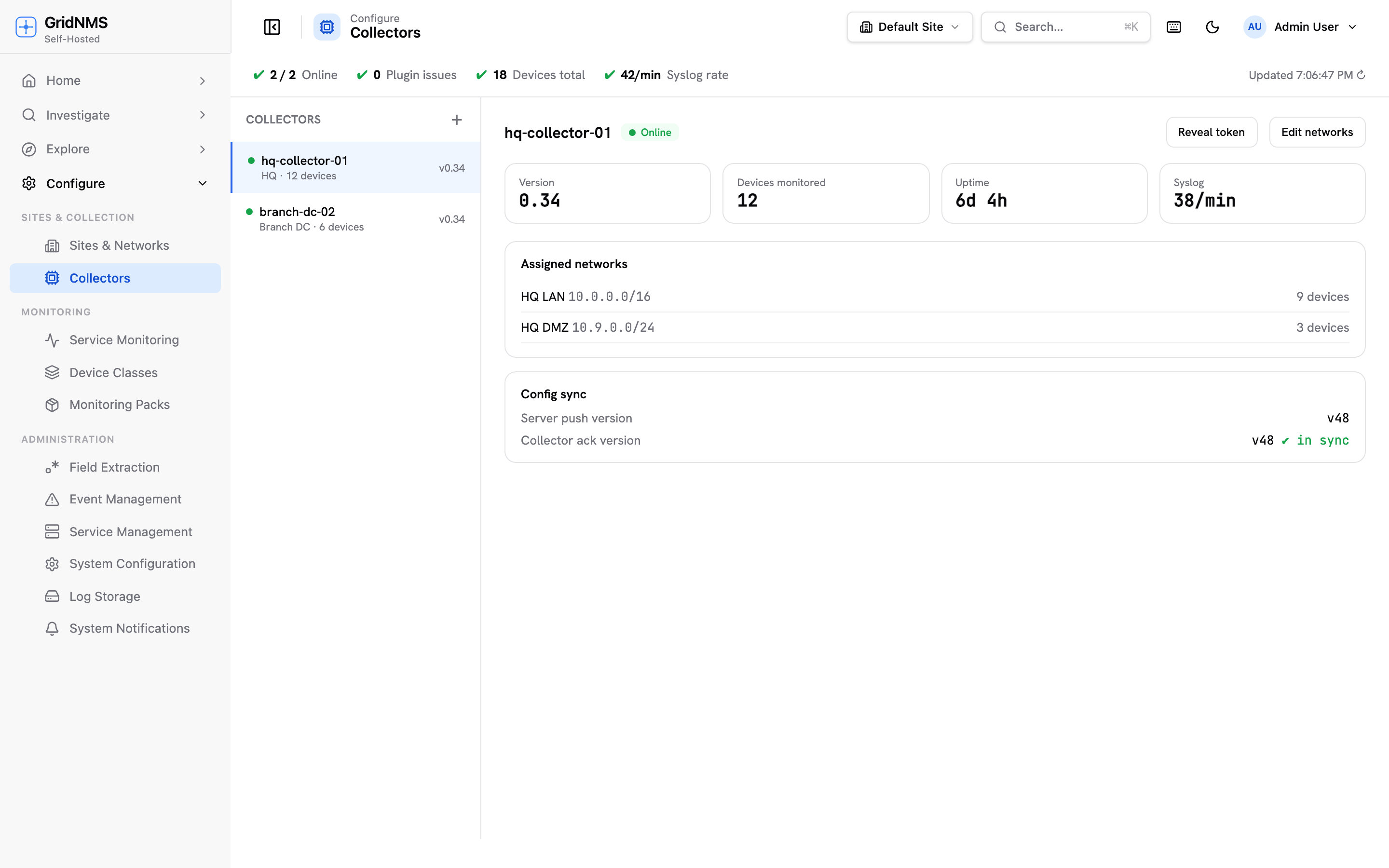 Configure → Collectors: register a collector and watch it come online.
2. Download and install the collector
Section titled “2. Download and install the collector”Download the build for your machine from the
Customer Portal → Downloads (sign-in
required), then unpack it and run the installer with sudo:
tar xzf gridnms-collector-distro-<version>-linux-<arch>.tar.gzcd gridnms-collector-distro-<version>-linux-<arch>
sudo ./linux/install.sh --join-token=<your-enrollment-token>tar xzf gridnms-collector-distro-<version>-darwin-<arch>.tar.gzcd gridnms-collector-distro-<version>-darwin-<arch>
sudo ./macos/install.sh --join-token=<your-enrollment-token>The installer prints a summary telling you whether it started and connected. Full download and install details, including firewall ports, are in Installing a Collector.
3. Confirm it’s online
Section titled “3. Confirm it’s online”Back on Configure → Collectors, your new collector appears and turns online within a few seconds.
4. Tell the collector what to watch
Section titled “4. Tell the collector what to watch”A collector only monitors the networks you assign to it:
- Go to Configure → Sites & Networks and pick (or create) the site.
- Add a network (an IP range in CIDR form) that the collector is responsible for.
- Open that network, select Assign Collector, and pick your collector. It begins watching devices in that range.
- Open the collector and turn on the services you plan to use — every service starts switched off. See Collector Services for what each one does.
More on this in Networks & Sites.
What’s next
Section titled “What’s next”Your network is connected. Now add devices and see GridNMS in action:
docs built 2026-09-26 · 195c6d00